
School Route Map: Report Hazards on the Way to School
Map dangerous locations on school routes such as crossings or speeding zones.
From data collection to insights
A demo school route map with sample reports: see what parents report and how the parents' initiative follows up.
Every risky spot on the way to school
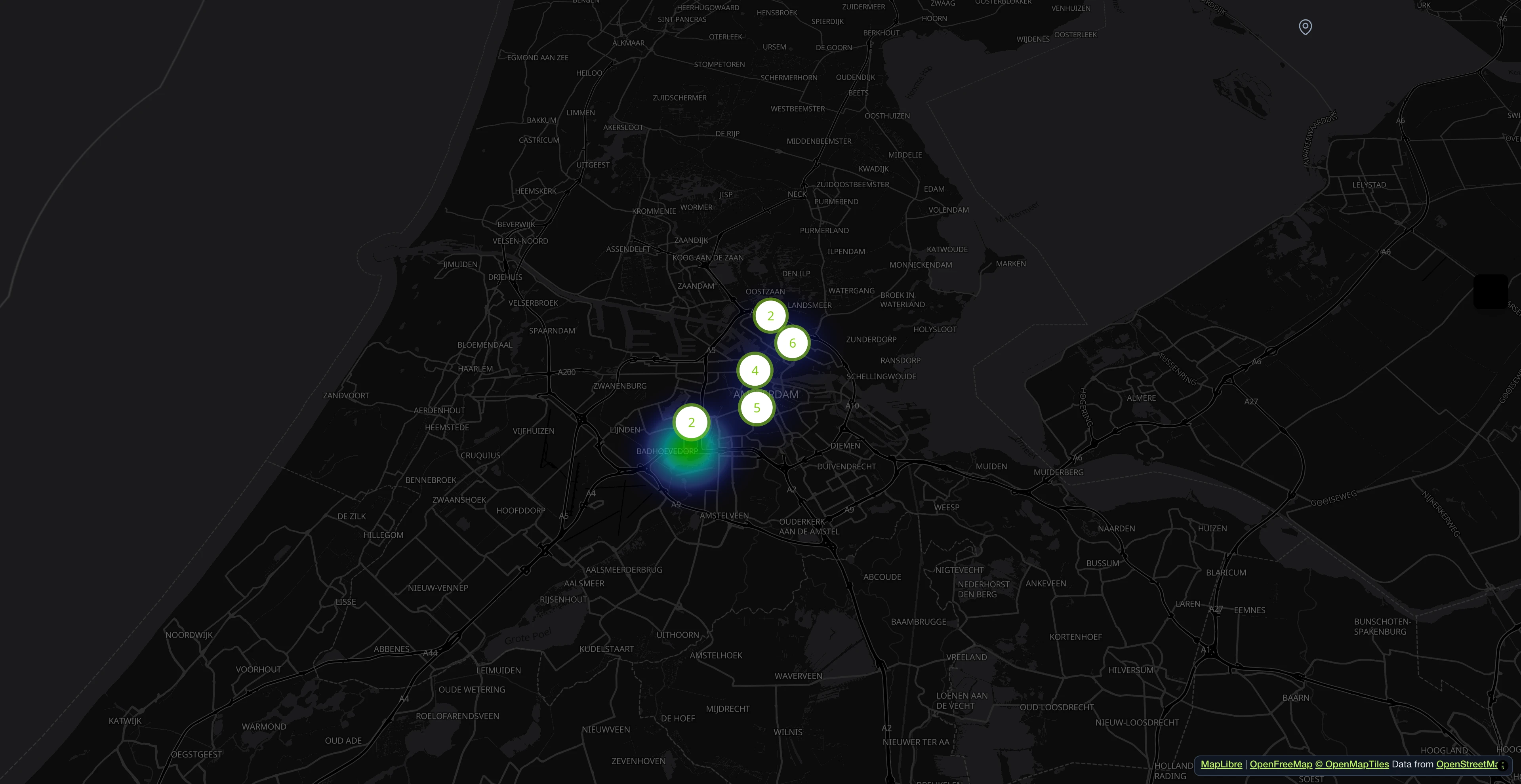
Parents mark dangerous crossings, missing sidewalks and spots where cars drive too fast. Everyone sees where children need extra care.
Take a photo, the form fills itself
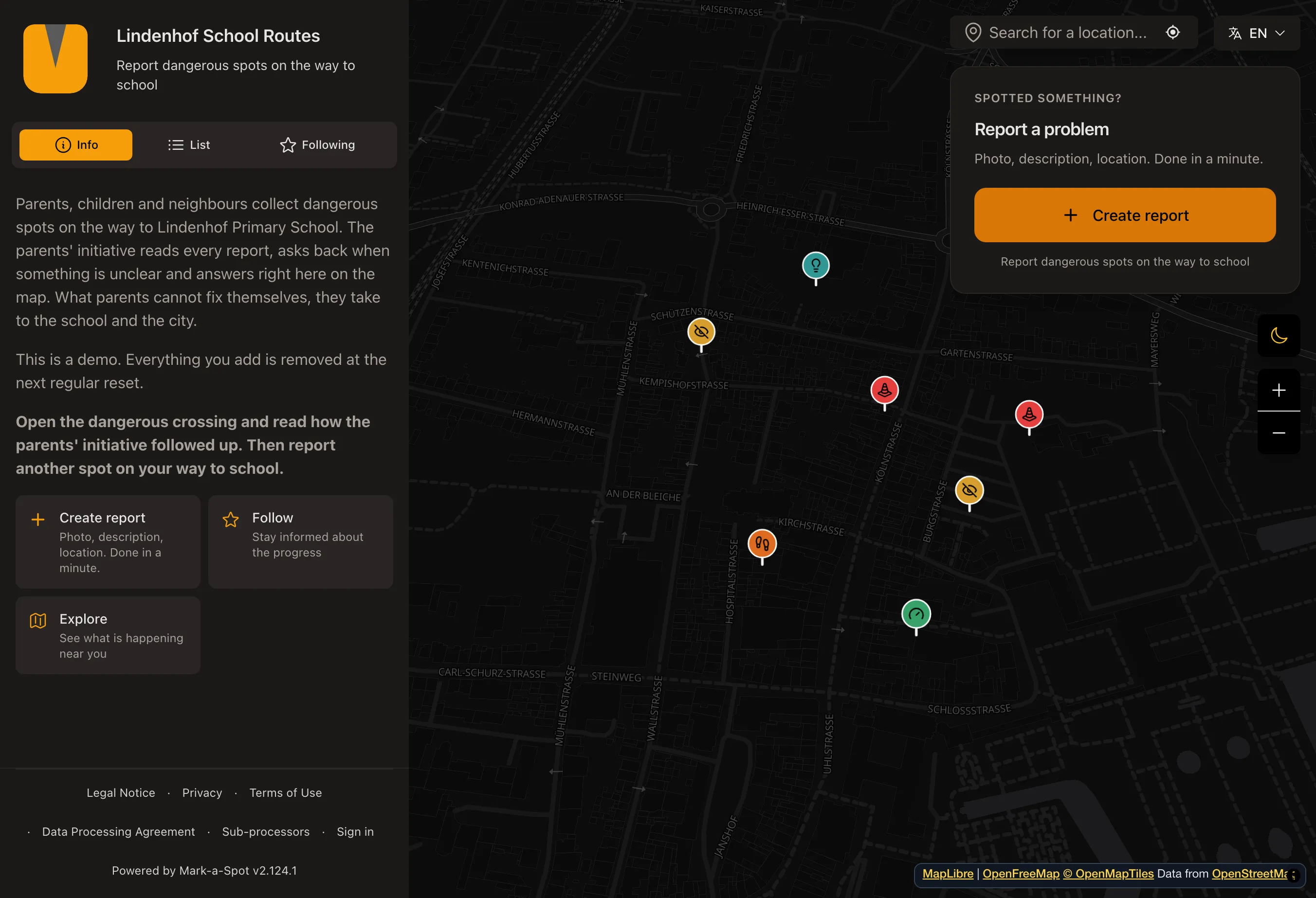
A parent photographs the crossing. The AI suggests a category and a short description. The parent checks it and sends it off.
Questions and progress in one place
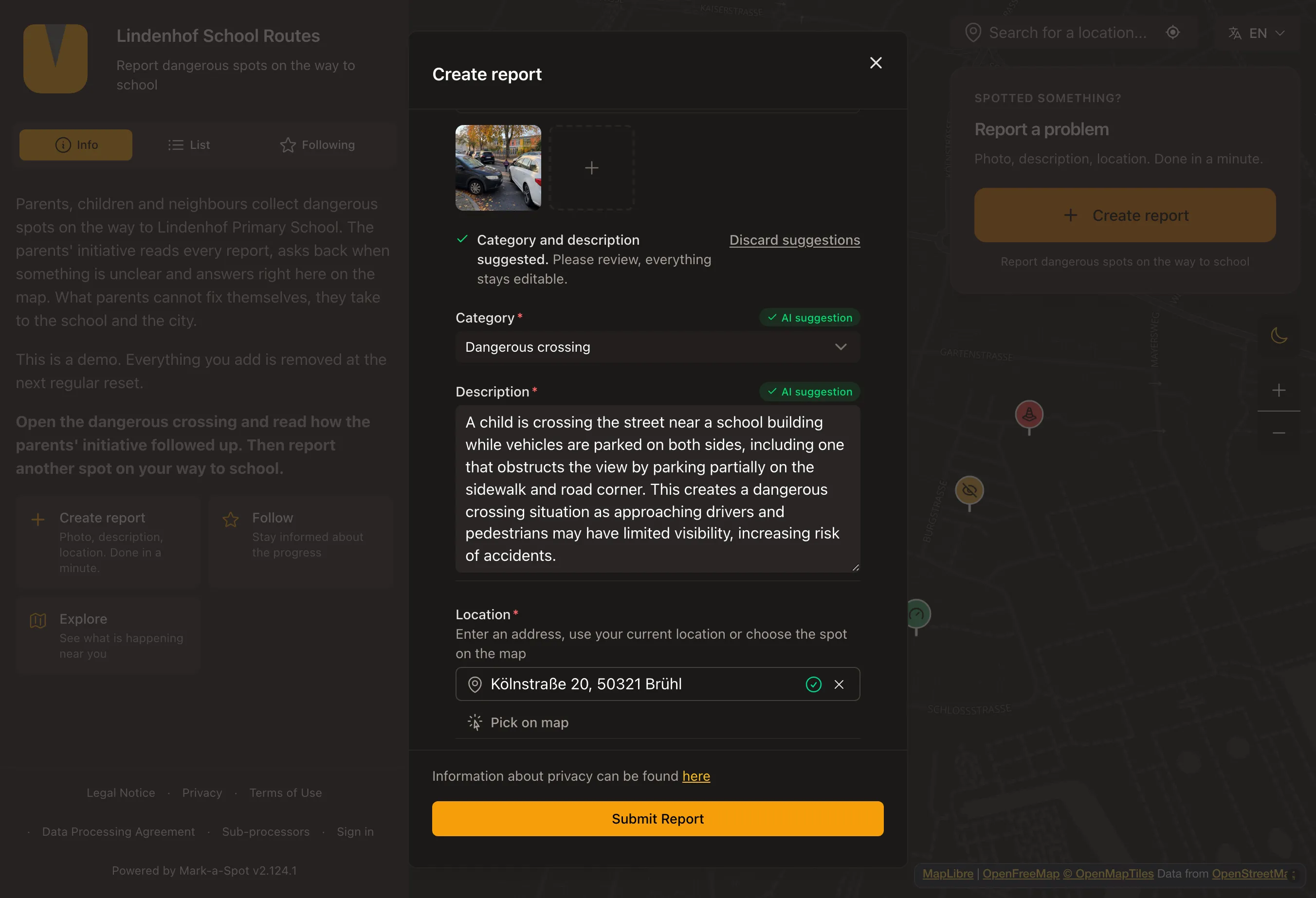
Other parents ask questions on a report, the initiative answers, and every step shows up in the history.
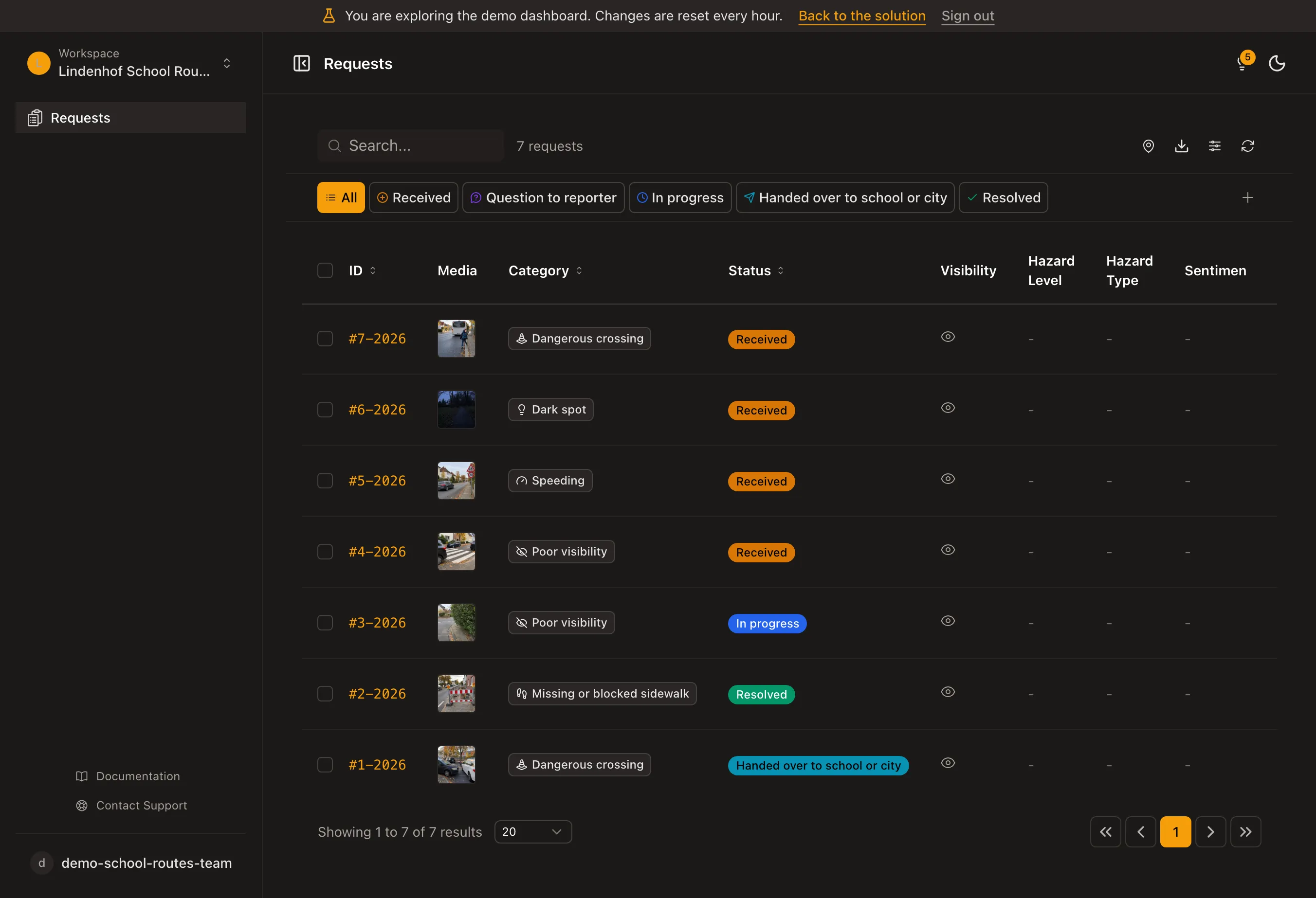
All reports from parents in one list
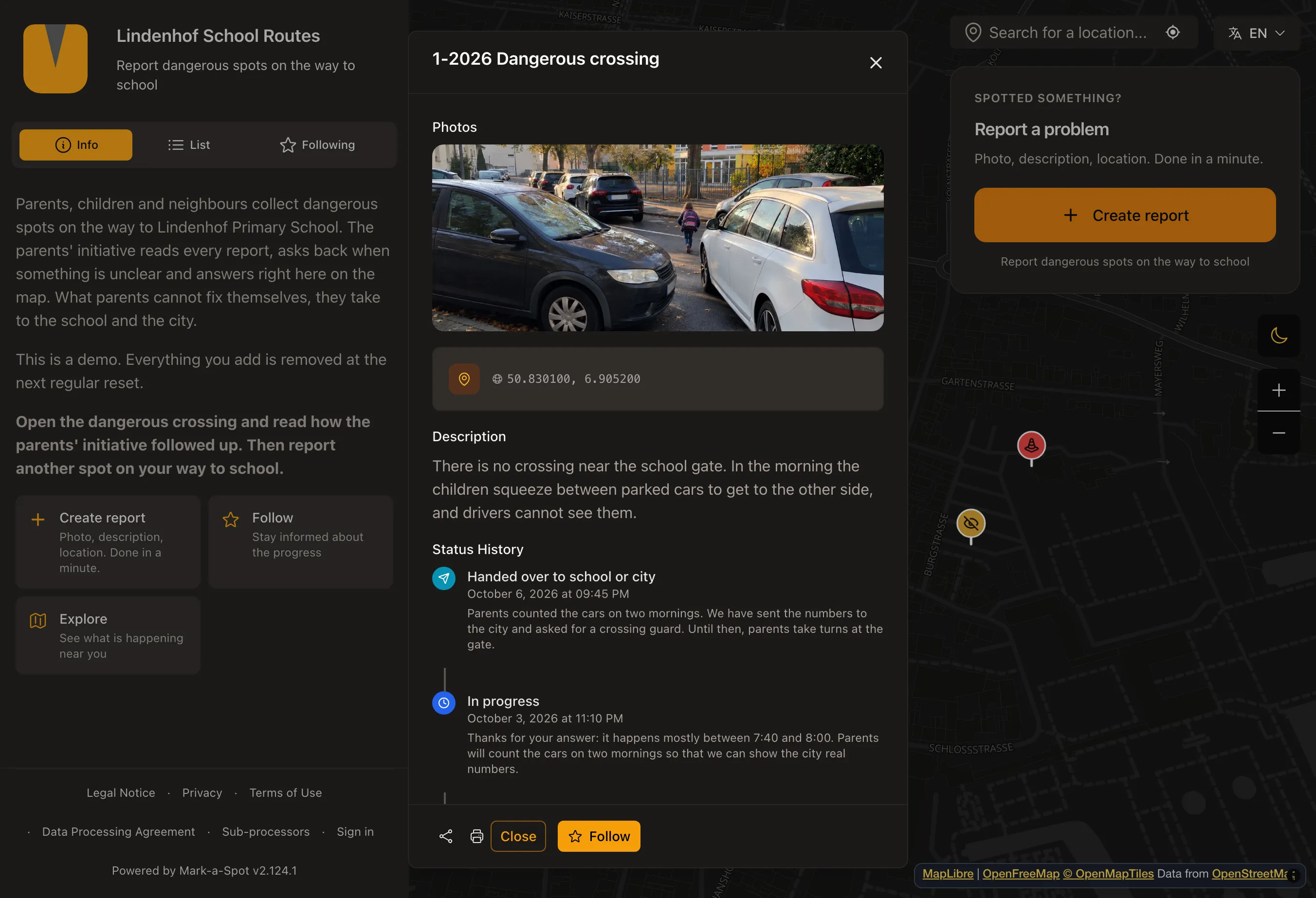
The parents' initiative filters by category and status and sees at a glance what is still open.
No account needed.
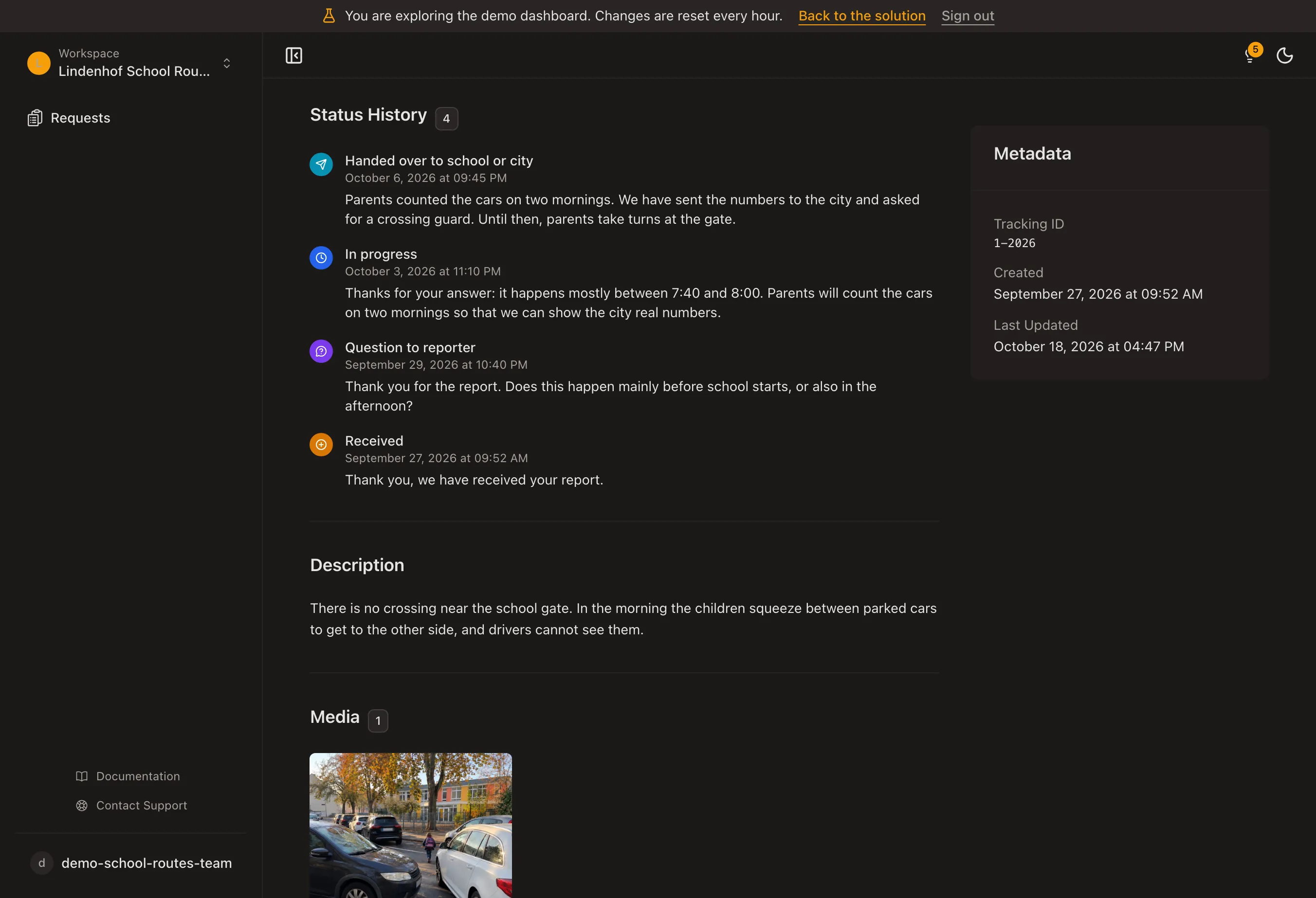
See every step of a report
Open a report in the dashboard and look at its status, the public answers and the full history, just as the parents' initiative sees it.
No account needed.
- 1M+ reports since 2011
- Open Source
- Open311 GeoReport v2
- EU-hosted
What is a school route map?
A school route safety map documents pedestrian hazards on the paths children walk every day. Dangerous crossings, missing sidewalks, speeding zones near schools, and poor sightlines at junctions are exactly the hazards that often go unreported until an accident happens. Systematic data collection gives traffic planners something they rarely have: ground-level evidence from the people who actually use the route.
Parents, students, and teachers pin hazards directly on the map. Each report includes a GPS-tagged photo and a category, for example dangerous crossing, missing sidewalk, or unsafe bike lane. The photo documents conditions at the exact location. Multiple reports on the same spot signal where the problem is most acute, which makes prioritization straightforward for anyone reviewing the data.
Improving school route safety requires data from the people who walk the route. Schools and parent councils use the map to build a shared picture of the route before presenting it to city authorities. Traffic engineers and urban planners receive structured, location-specific data they can feed directly into school zone safety assessments, traffic calming proposals, and pedestrian infrastructure budgets. The result is a direct link between community observation and city planning decisions.
- Hazard Category Mapping
- Contributors assign each report to a specific hazard type: dangerous crossing, poor visibility, speeding zone, missing sidewalk, or unsafe bike lane. Categories make the data immediately usable for traffic engineers.
- GPS-Tagged Photo Reports
- Every submission includes a photo taken on-location and the exact GPS coordinates. The image documents what a map pin alone cannot: road surface, sightlines, and the physical context of the hazard.
- School Zone Heat Map
- Clusters of reports around the same location surface automatically on the map. High-density clusters identify the most frequently flagged sections of a school route without any manual analysis.
- Parent & Teacher Collaboration
- Multiple contributors can report independently on the same route. Reports from parents, teachers, and students build a composite picture that reflects actual walking conditions, not a single perspective.
Who is this for?
Parents & Parent Councils
Organize a route survey before the school year starts. Parents walk the route and report hazards as they encounter them. The resulting map gives the parent council concrete, location-specific evidence to bring to the city.
Schools & Teachers
Use the map in road safety education. Students identify and report hazards they notice on their own route. The exercise builds observation skills and produces data that reflects children's actual experience of the path.
Municipalities & Traffic Planners
Receive structured, photo-documented reports from multiple contributors across all school routes in a district. Use the data to prioritize crossing improvements, sidewalk construction, and traffic calming measures where they are most needed.
Categories included
These categories come with the template. After setup you can rename, add or remove them in your dashboard.
- Dangerous crossing
- Poor visibility
- Speeding zone
- Missing sidewalk
- Unsafe bike lane
Set up your School Route Map
Describe in one sentence what it is about. Then your map, categories and statuses are ready, and you can change everything.
More templates
Map accessibility barriers like missing ramps or broken elevators.
Map places
Collect neighborhood ideas and suggestions on a shared map.
Collect ideas
Collect civic issues like potholes, graffiti or broken streetlights on a map.
Report problems